STEP 01
Set actual availability
Add people, weekday work and admin hours, holidays and absences.
 BLOTLINGInquire
 GUIDED PREVIEW / FICTIONAL SAMPLE DATA
Check proposed work against realistic daily availability.
Explore screenshots of the actual app and its workflow below. This is a guided preview, not the interactive downloadable tool. Controls shown inside the images are not active here. Purchasing is currently closed.
Try the fixed sample scenarios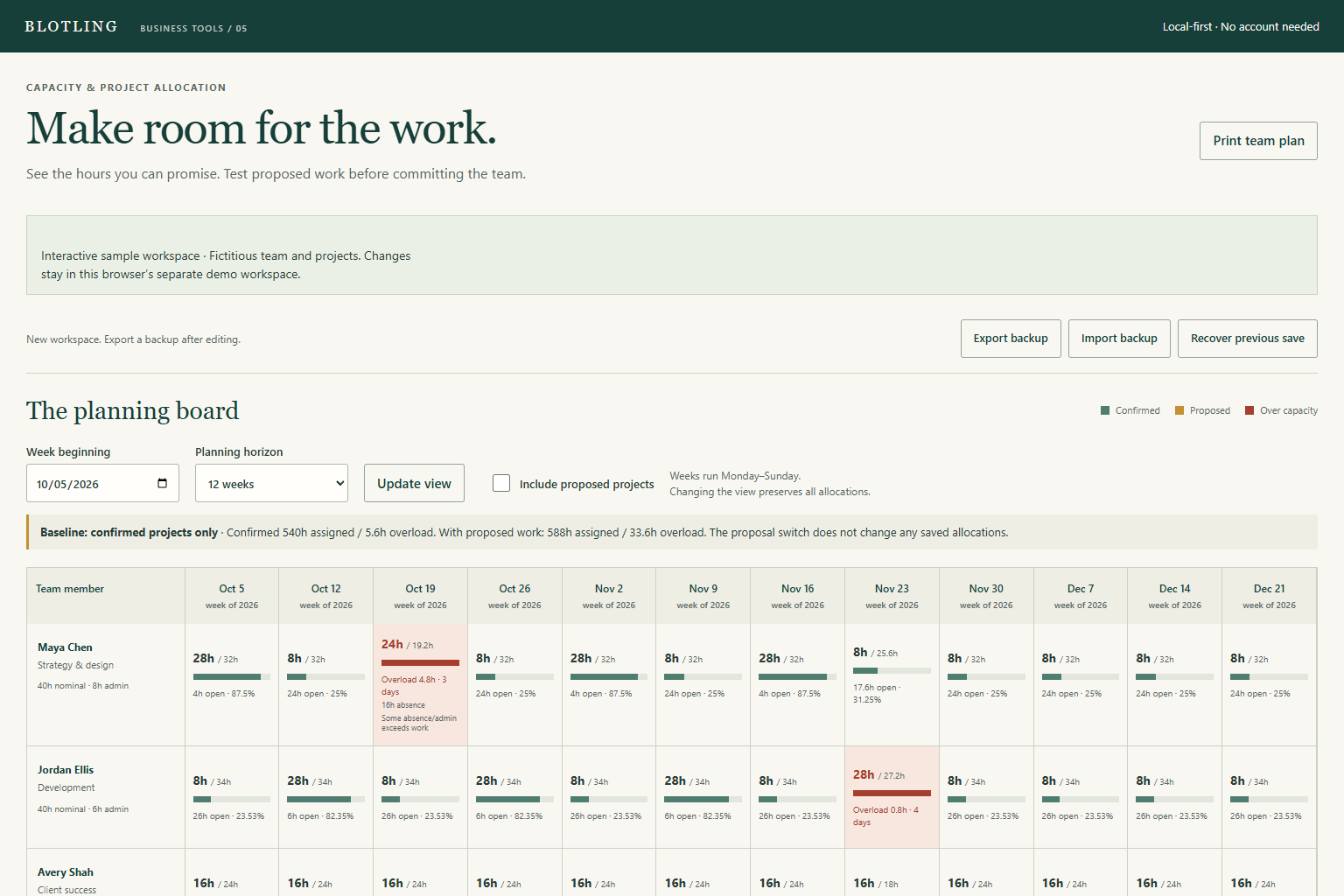
STEP 01
Add people, weekday work and admin hours, holidays and absences.
STEP 02
Assign a person and project, a full date range and total effort; review zero-capacity warnings.
STEP 03
Compare confirmed and proposed work, inspect overloaded dates, then freeze or export the plan.
WORKED EXAMPLE
In a small worked example, a person has 16 available hours across a week after a holiday and an absence. Assigning 24 hours distributes 12, 6, 0, 6 and 0 hours across the weekdays, producing 8 hours of overload. The tool reports the conflicting person-days instead of hiding them inside a team average.
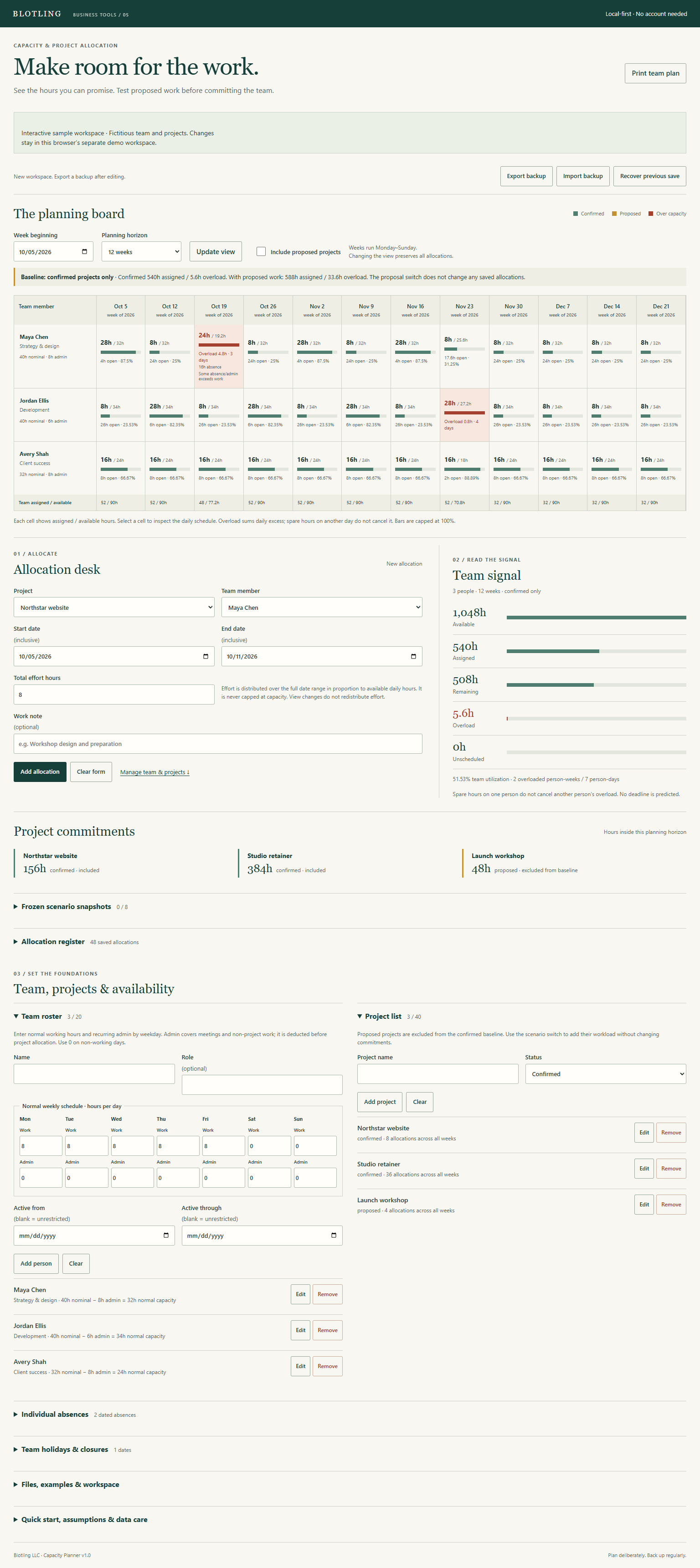

Planning for up to 20 people, 40 projects and 500 allocations, with a 4–12 week board. No automatic scheduling, task dependencies, shared editing, payroll or compliance function. Assignments can deliberately exceed availability. Daily hours do not specify an intraday appointment window.
In the full tool, browser saves stay on the device and are best-effort. Keep separate JSON backups; clearing browser data or moving the file can affect saved work.
Product details and planned price