STEP 01
Set the pantry and recipes
Enter package sizes and prices, raw stock, usable yield, recipe output and subrecipes.
 BLOTLINGInquire
 GUIDED PREVIEW / FICTIONAL SAMPLE DATA
Turn several orders into one prep and purchasing plan.
Explore screenshots of the actual app and its workflow below. This is a guided preview, not the interactive downloadable tool. Controls shown inside the images are not active here. Purchasing is currently closed.
Try the fixed sample scenarios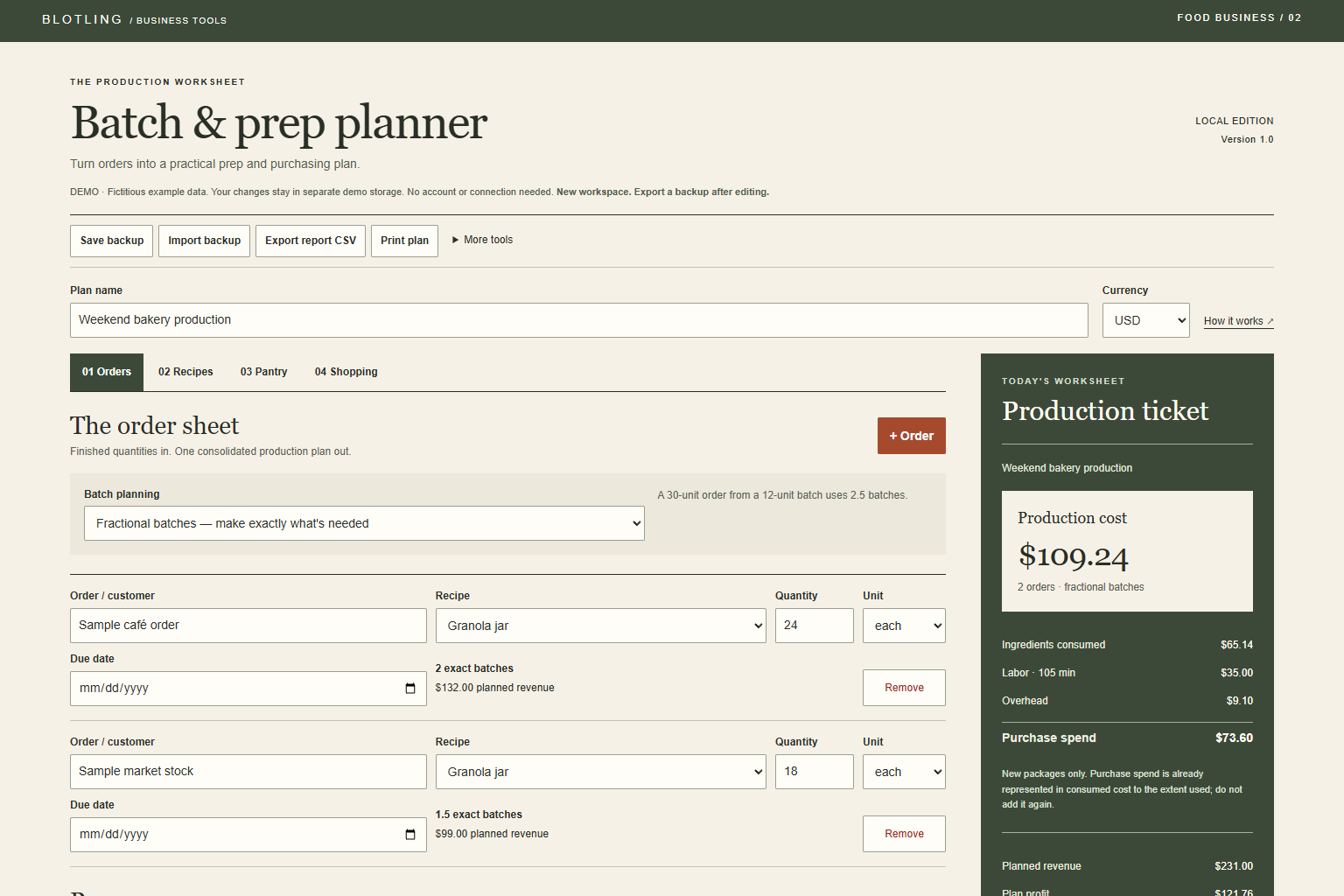
STEP 01
Enter package sizes and prices, raw stock, usable yield, recipe output and subrecipes.
STEP 02
Choose finished quantities and fractional or whole batches for one production run.
STEP 03
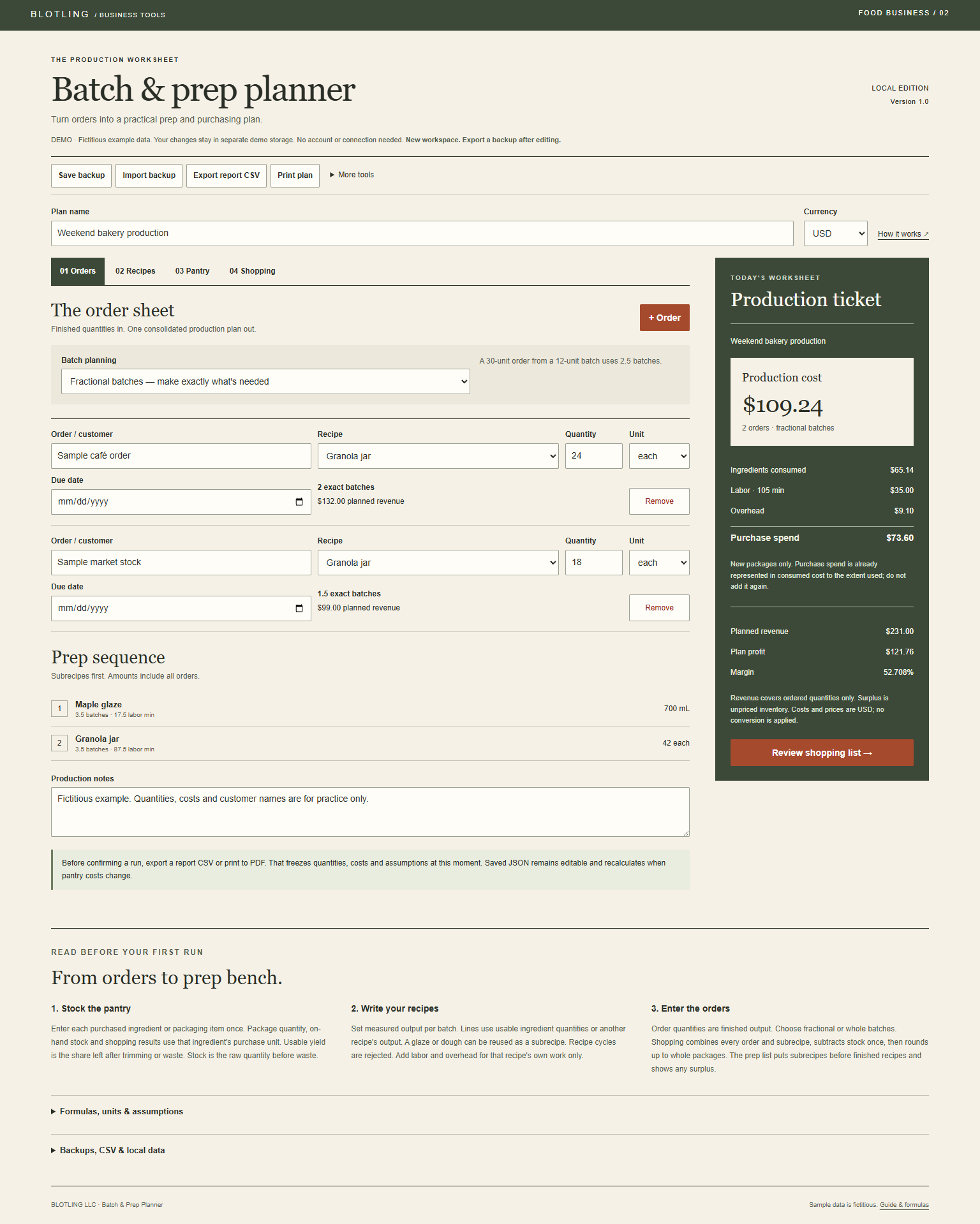
Follow the subrecipe-first prep order, check surplus, and preserve a frozen report before changing prices.
WORKED EXAMPLE
The fictional bakery sample shows $109.24 production cost and $73.60 purchase spend for 42 granola jars. Production cost includes consumed ingredients, labor and overhead; purchase spend covers newly bought whole packages. Adding both would double-count part of the ingredients.

Plans one production run. Due dates are labels, not automated scheduling. No oven-capacity model, nutrition, allergen analysis, shelf-life validation or food-safety guarantee. Enter density and yield for the actual ingredient. Planning does not consume stock automatically; update it after production.
In the full tool, browser saves stay on the device and are best-effort. Keep separate JSON backups; clearing browser data or moving the file can affect saved work.
Product details and planned price