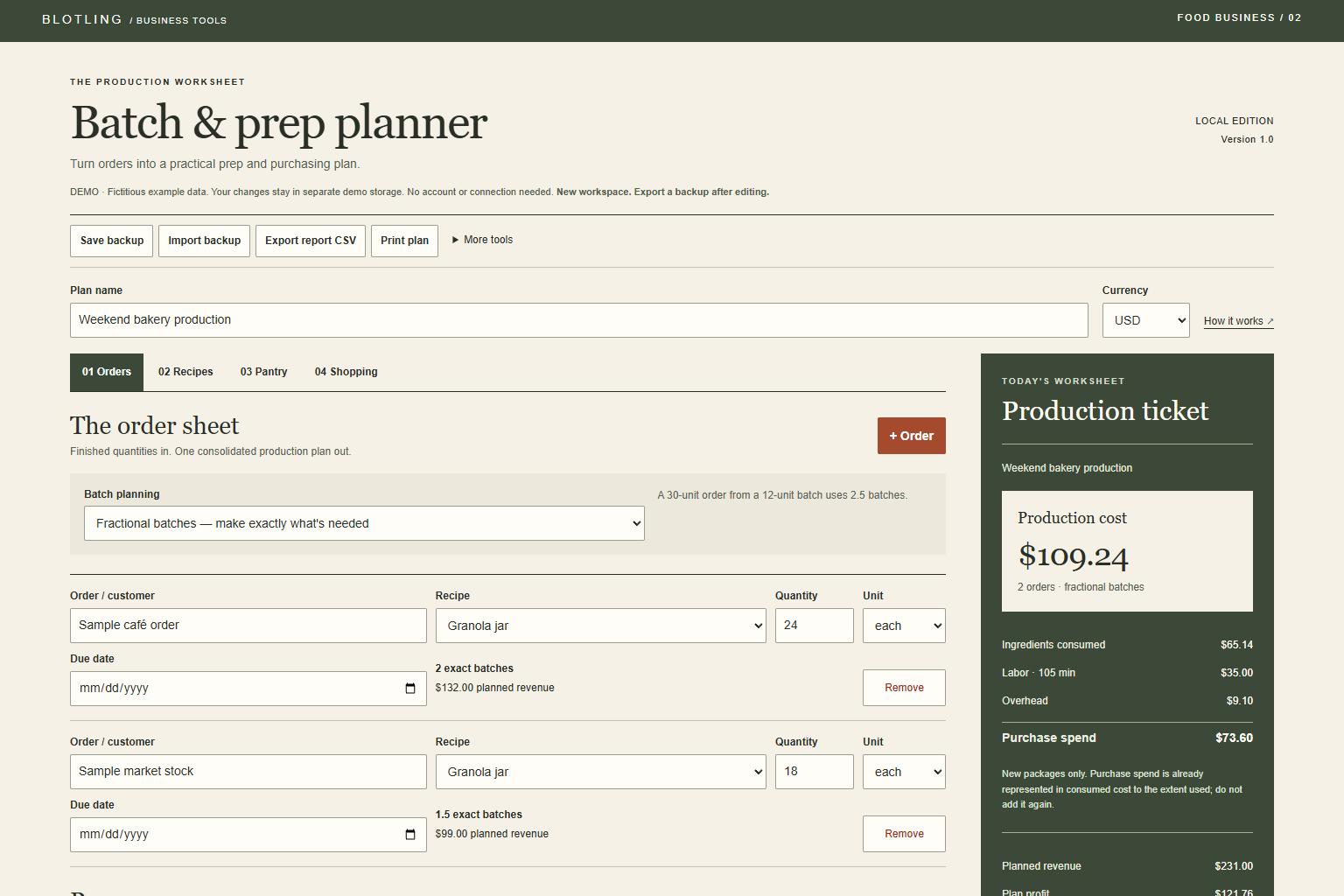
Turn several orders into one prep and purchasing plan. Explore the example and check compatibility below.
Actual interface / Fictional sample data
What's included.
01
Recipes and reusable subrecipes
Combine demand before whole-batch rounding; circular recipes are rejected.
02
Yield and unit conversion
Enter usable yield and your ingredient's density when crossing mass and volume.
03
Fractional or whole batches
Compare exact output, rounded batches and separately shown surplus.
04
One shopping list
Subtract raw stock and round shortages to purchase packages.
05
Frozen production reports
Preserve orders, quantities, costs and assumptions with CSV or a printed report.
A practical workflow.
01
Set the pantry and recipes
Enter package sizes and prices, raw stock, usable yield, recipe output and subrecipes.
02
Combine the orders
Choose finished quantities and fractional or whole batches for one production run.
03
Review prep and purchases
Follow the subrecipe-first prep order, check surplus, and preserve a frozen report before changing prices.
Cost consumed versus cash to purchase
The fictional bakery sample shows $109.24 production cost and $73.60 purchase spend for 42 granola jars. Production cost includes consumed ingredients, labor and overhead; purchase spend covers newly bought whole packages. Adding both would double-count part of the ingredients.
Fictional worked example. Check the assumptions and boundaries against your own records.
Before you buy.
REQUIREMENTS
Extract the ZIP and open tool.html in a current desktop browser. No account, installation or runtime internet connection is required. Chromium desktop and mobile viewport layouts were tested; extended data entry is best on desktop. This is a browser app, not an Excel or Google Sheets workbook.
KNOW THE SCOPE
Plans one production run. Due dates are labels, not automated scheduling. No oven-capacity model, nutrition, allergen analysis, shelf-life validation or food-safety guarantee. Enter density and yield for the actual ingredient. Planning does not consume stock automatically; update it after production.