STEP 01
Create and freeze the estimate
Enter scope, quoted revenue and cost lines, then preserve the original baseline.
 BLOTLINGInquire
 GUIDED PREVIEW / FICTIONAL SAMPLE DATA
Keep estimate changes and remaining work from hiding margin drift.
Explore screenshots of the actual app and its workflow below. This is a guided preview, not the interactive downloadable tool. Controls shown inside the images are not active here. Purchasing is currently closed.
Try the fixed sample scenarios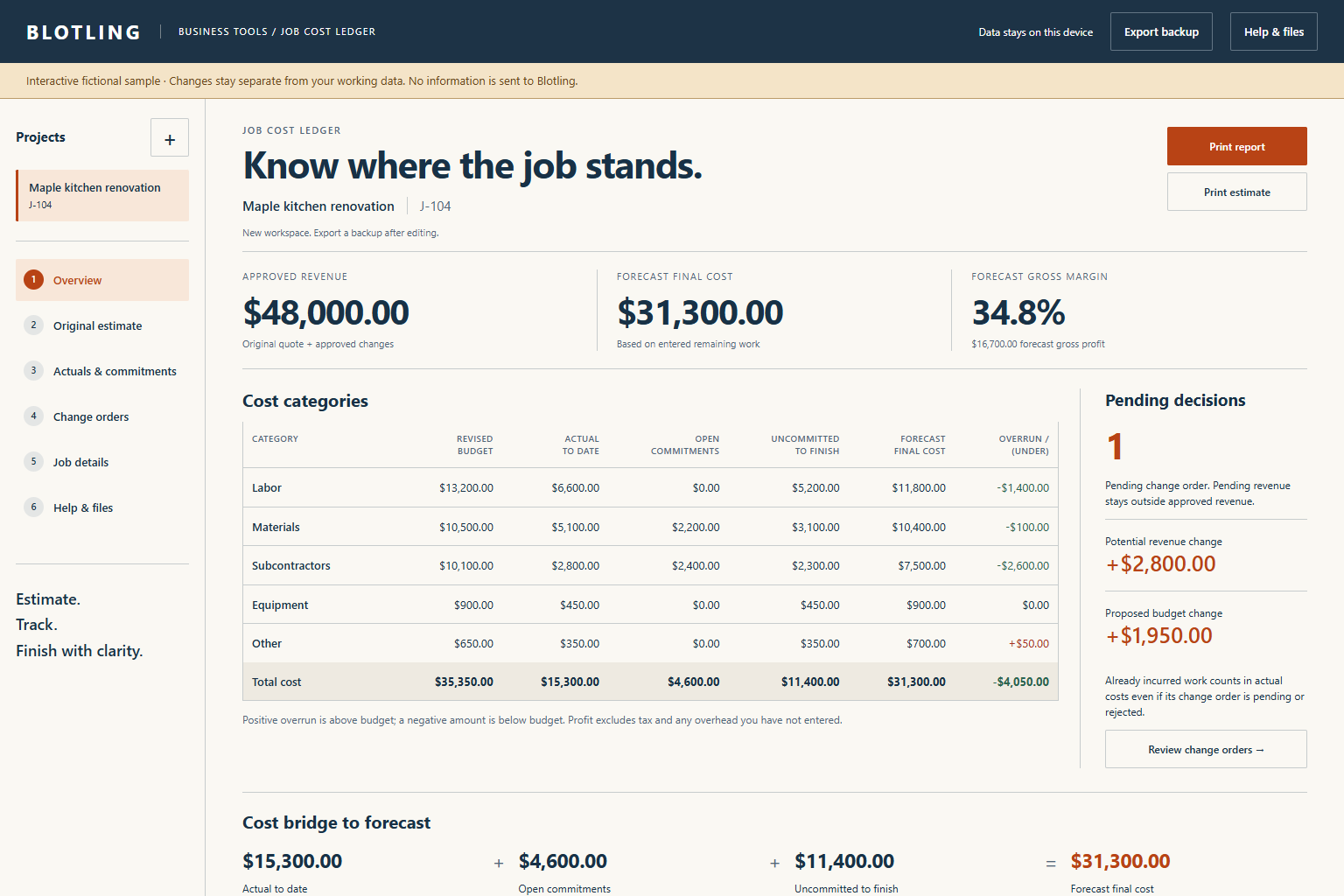
STEP 01
Enter scope, quoted revenue and cost lines, then preserve the original baseline.
STEP 02
Log incurred actuals, link commitments, and classify approved, pending or rejected changes.
STEP 03
Update uncommitted costs to finish, check the forecast bridge and preserve a report plus JSON backup.
WORKED EXAMPLE
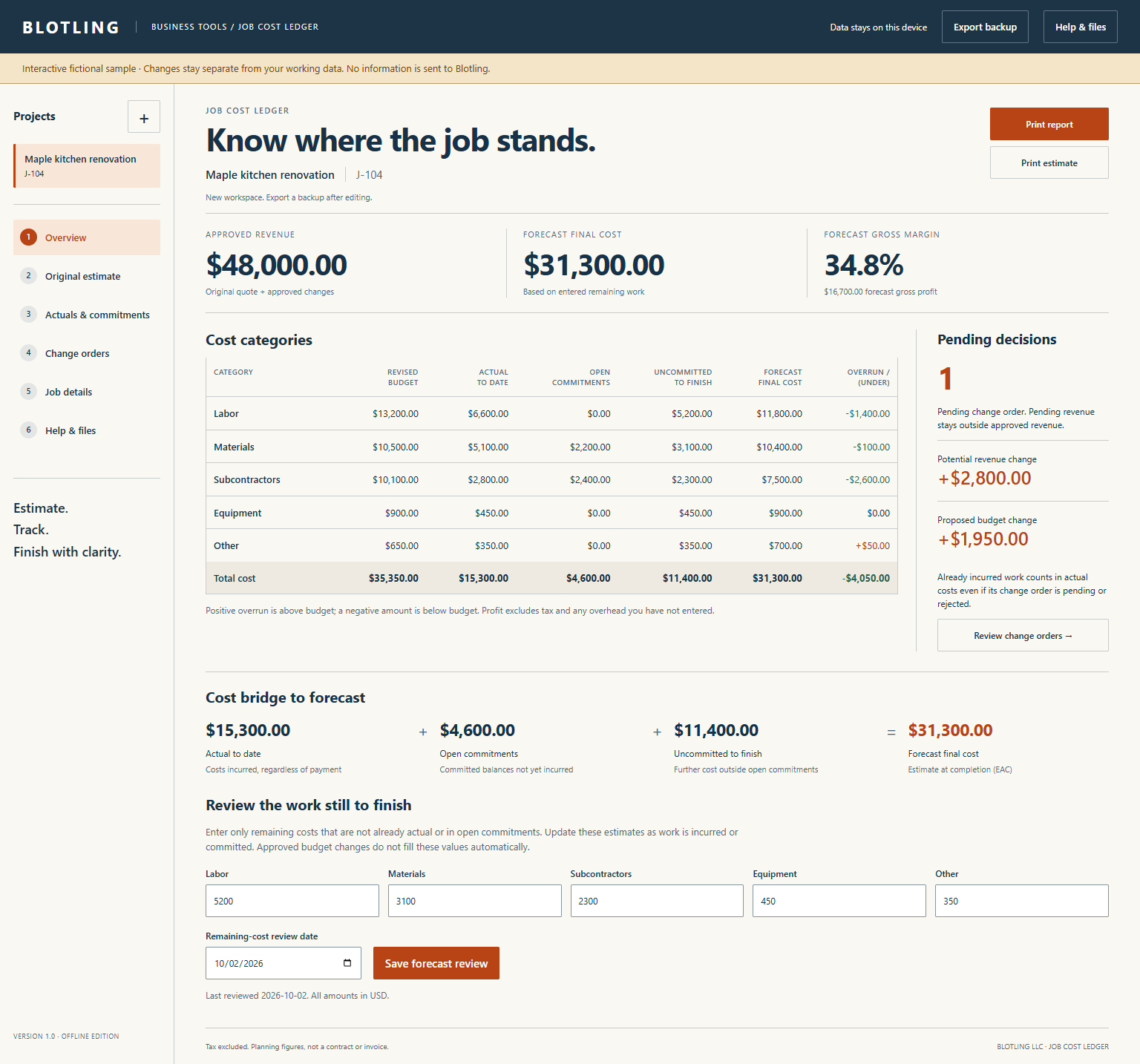
The sample has $48,000 approved revenue. Actual costs of $15,300, open commitments of $4,600 and further uncommitted work of $11,400 produce a $31,300 final-cost forecast. Forecast gross profit is $16,700, or about 34.8% of revenue. Pending change revenue stays outside these approved figures.

An internal planning ledger, not customer billing, a legal contract, a tax calculator or a cost database. Actuals mean incurred costs, not cash paid. Gross profit includes only entered costs. Freezing is an editing safeguard, not a tamper-proof audit record. Review remaining work explicitly to keep the forecast useful.
In the full tool, browser saves stay on the device and are best-effort. Keep separate JSON backups; clearing browser data or moving the file can affect saved work.
Product details and planned price