

OFFLINE BROWSER APP BUSINESS TOOL

Contractor Job-Cost Ledger

Keep estimate changes and remaining work from hiding margin drift.
Explore the example and check compatibility below.

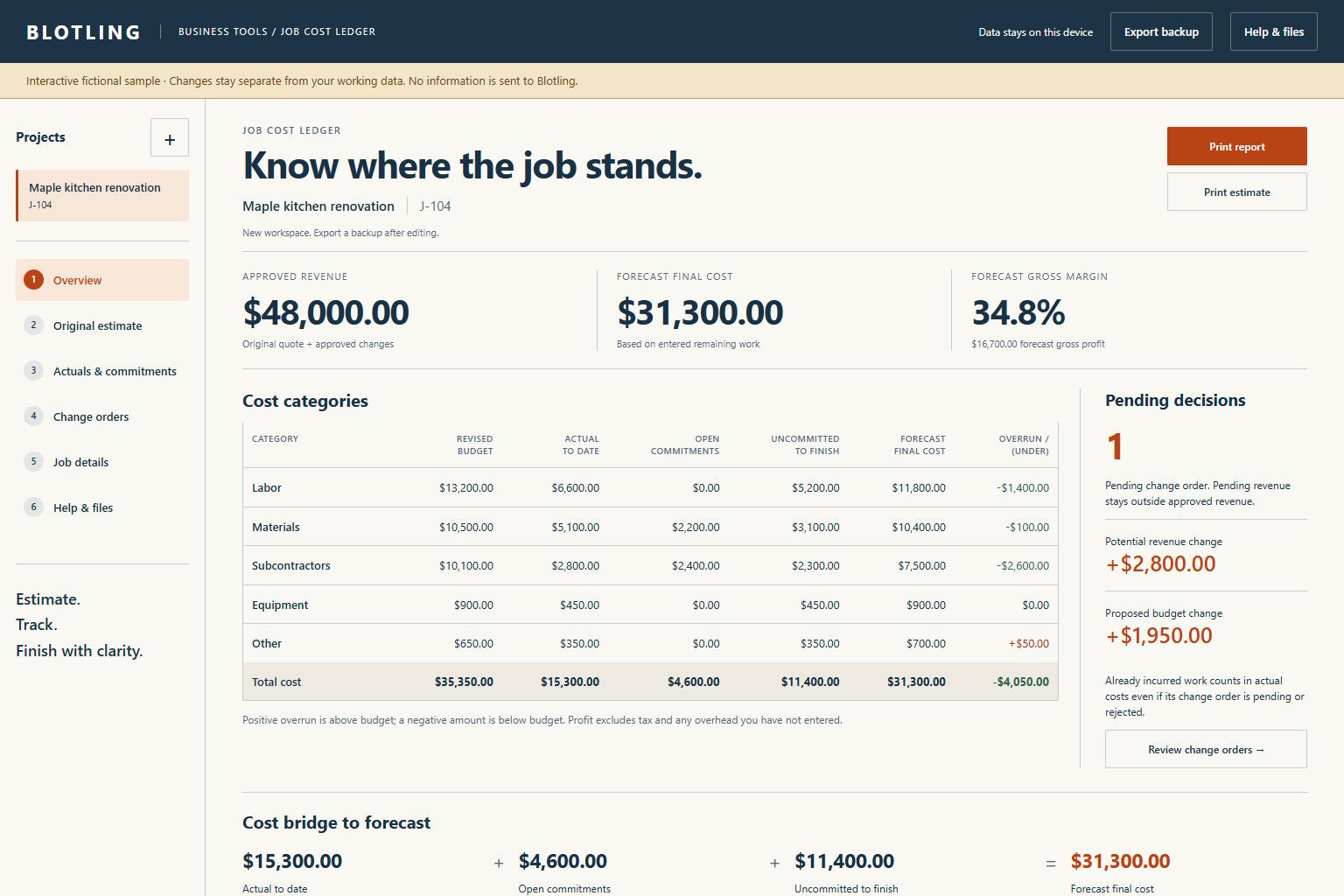
Actual Contractor Job-Cost Ledger interface showing fictional sample data

Actual interface / Fictional sample data

What's included.

  1. 01

    Original estimate baseline

    Freeze the agreed estimate so later changes remain visible.

  2. 02

    A separate change register

    Approved changes revise revenue and budget; pending and rejected requests remain distinct.

  3. 03

    Actuals linked to commitments

    Incurred costs reduce their matching open commitments to avoid double-counting.

  4. 04

    Explicit remaining work

    Enter additional costs to finish outside actuals and commitments; the budget is not treated as unfinished work.

  5. 05

    Forecast and cost bridge

    See final cost, gross profit, margin and signed overrun, then print or export the record.

A practical workflow.

  1. 01

    Create and freeze the estimate

    Enter scope, quoted revenue and cost lines, then preserve the original baseline.

  2. 02

    Record progress and decisions

    Log incurred actuals, link commitments, and classify approved, pending or rejected changes.

  3. 03

    Review what remains

    Update uncommitted costs to finish, check the forecast bridge and preserve a report plus JSON backup.

A fictional kitchen project's cost bridge

The sample has $48,000 approved revenue. Actual costs of $15,300, open commitments of $4,600 and further uncommitted work of $11,400 produce a $31,300 final-cost forecast. Forecast gross profit is $16,700, or about 34.8% of revenue. Pending change revenue stays outside these approved figures.

Fictional worked example. Check the assumptions and boundaries against your own records.

Before you buy.

REQUIREMENTS

Extract the ZIP and open tool.html in a current desktop browser. No account, installation or runtime internet connection is required. Chromium desktop and mobile viewport layouts were tested; extended data entry is best on desktop. This is a browser app, not an Excel or Google Sheets workbook.

KNOW THE SCOPE

An internal planning ledger, not customer billing, a legal contract, a tax calculator or a cost database. Actuals mean incurred costs, not cash paid. Gross profit includes only entered costs. Freezing is an editing safeguard, not a tamper-proof audit record. Review remaining work explicitly to keep the forecast useful.

Actual interface / Fictional sample data

Make it yours.

Try sample scenarios