STEP 01
Set the stock unit and policy
Enter on-hand stock, reservations, incoming units, additional daily demand and supplier assumptions.
 BLOTLINGInquire
 GUIDED PREVIEW / FICTIONAL SAMPLE DATA
See what to reorder and keep a record of stock movements.
Explore screenshots of the actual app and its workflow below. This is a guided preview, not the interactive downloadable tool. Controls shown inside the images are not active here. Purchasing is currently closed.
Try the fixed sample scenarios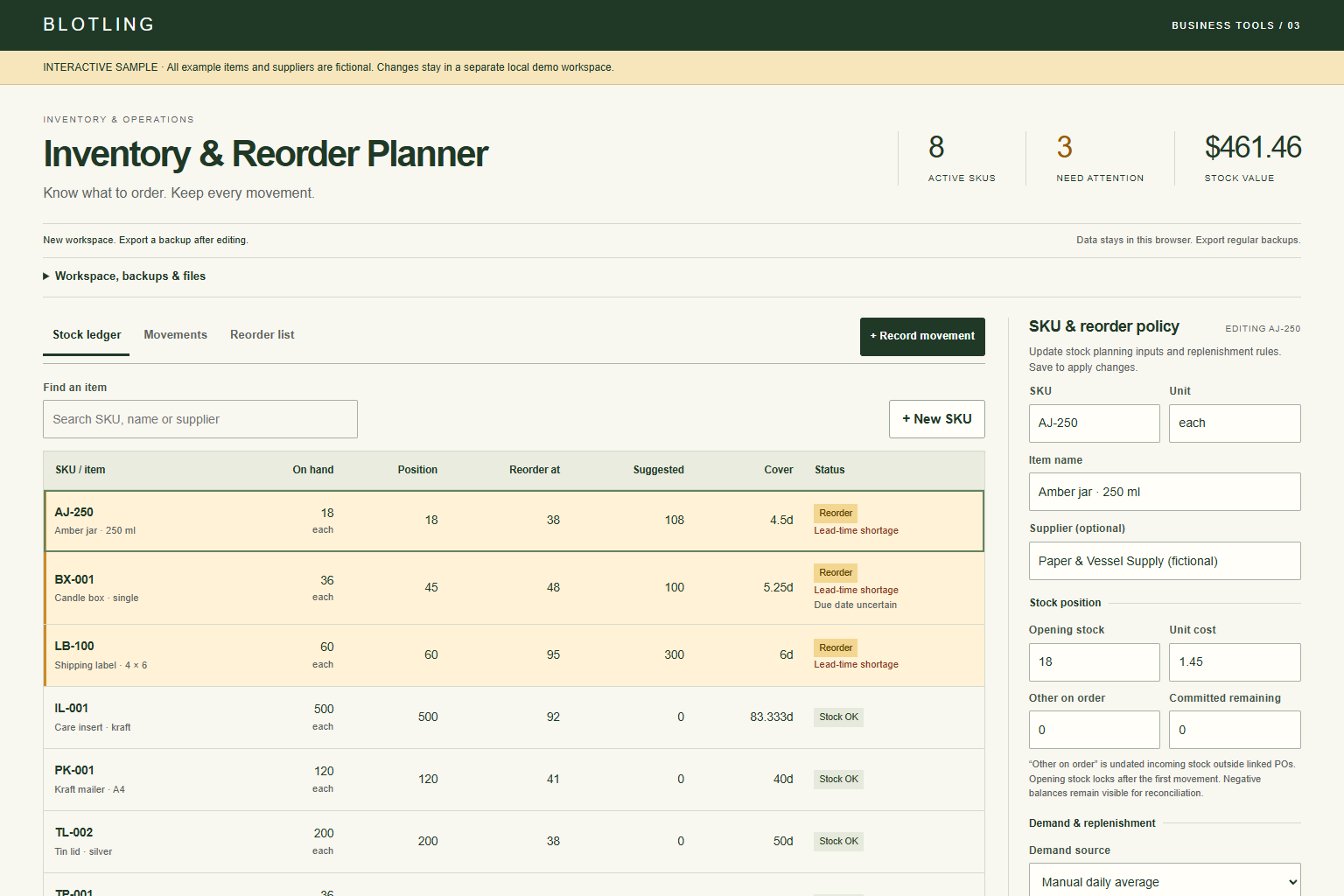
STEP 01
Enter on-hand stock, reservations, incoming units, additional daily demand and supplier assumptions.
STEP 02
Use linked PO receipts and reserved fulfillment, or a reasoned adjustment for reconciliation.
STEP 03
Check quantities and delivery risks, then export or print the working list. The app does not place orders.
WORKED EXAMPLE
With 40 on hand, 12 reserved and no incoming stock, inventory position is 28. Demand of 3 per day, 7 lead days and safety stock of 8 set a reorder point of 29. Adding 14 extra cover days makes a target of 71. The 43-unit gap rounds to 48 when ordering in packs of 6.
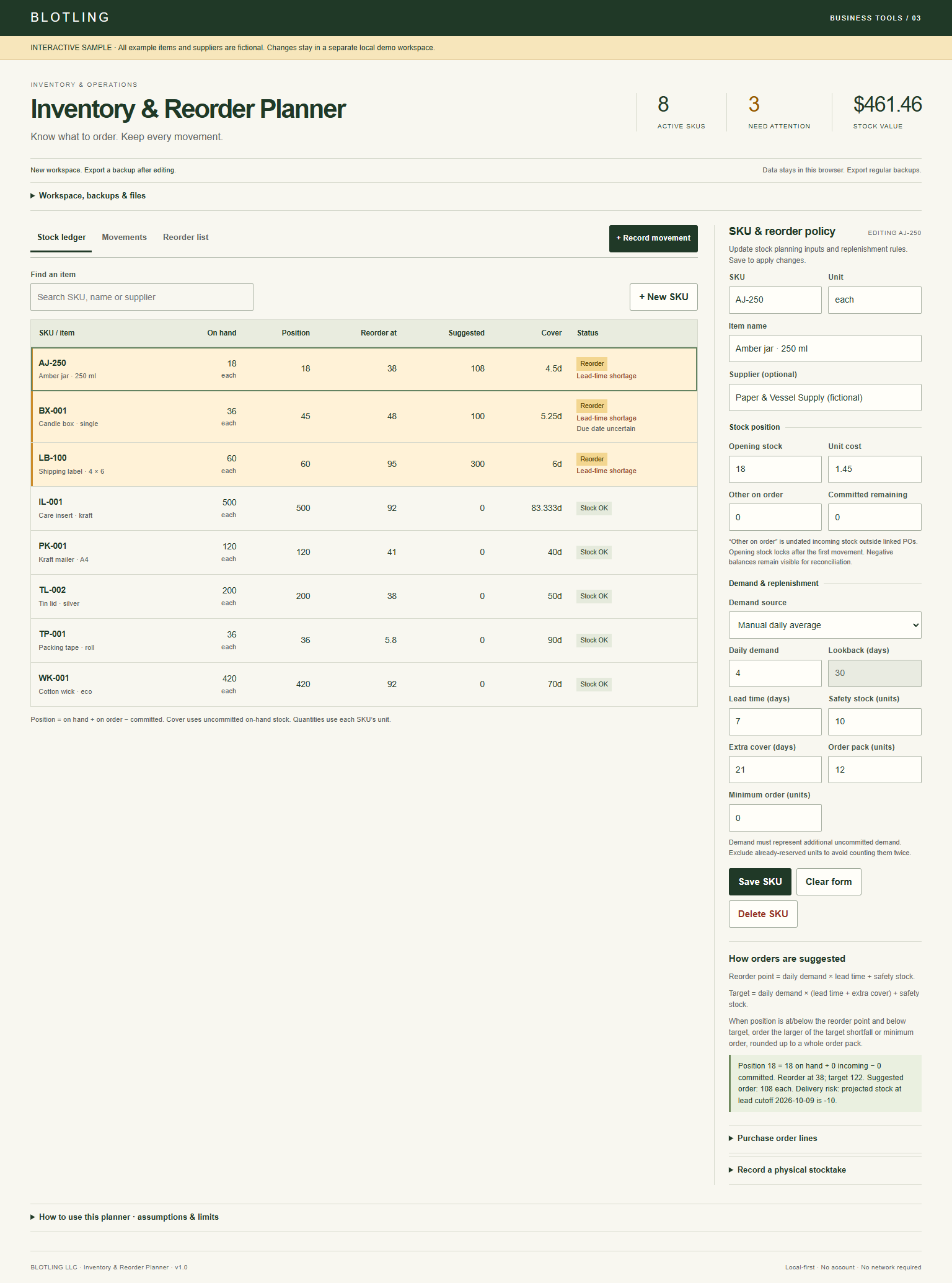

One location with manually supplied assumptions; no supplier integration or automatic purchasing. Demand must exclude reserved units. Stock value uses current entered cost and is a management estimate, not FIFO, LIFO or another accounting valuation. Review due dates with the supplier.
In the full tool, browser saves stay on the device and are best-effort. Keep separate JSON backups; clearing browser data or moving the file can affect saved work.
Product details and planned price