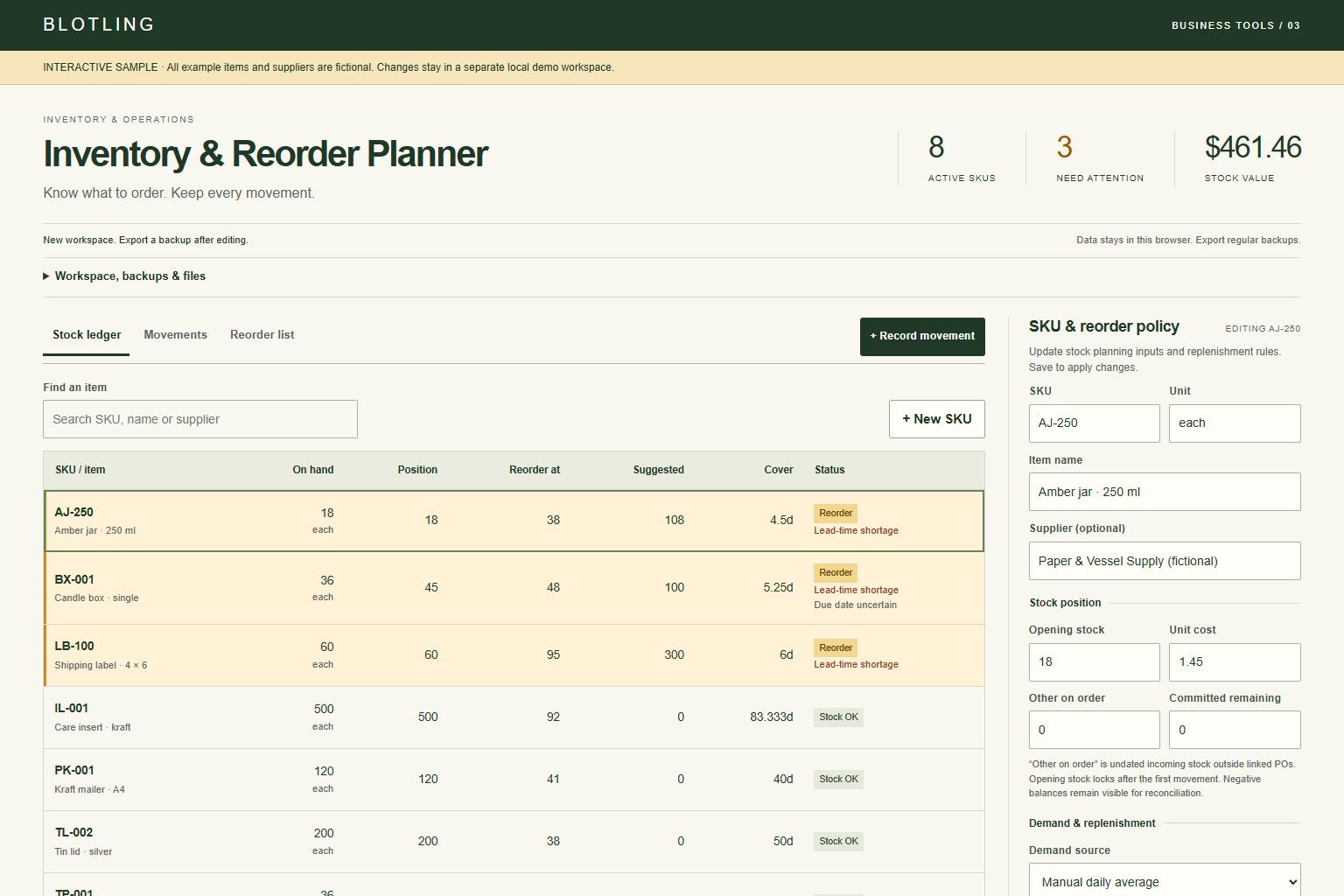
See what to reorder and keep a record of stock movements. Explore the example and check compatibility below.
Actual interface / Fictional sample data
What's included.
01
Stock and movement ledgers
Keep signed stock balances, adjustments and stable movement references.
02
Linked purchase-order receipts
Receiving stock reduces the open PO balance instead of counting incoming units twice.
03
Reserved fulfillment
Distinguish reserved orders from additional uncommitted demand.
04
Pack-aware reorder suggestions
Apply lead time, extra cover, safety stock, order packs and minimum quantities.
05
Delivery warnings
Review late and undated incoming stock separately from the reorder quantity.
A practical workflow.
01
Set the stock unit and policy
Enter on-hand stock, reservations, incoming units, additional daily demand and supplier assumptions.
02
Record each movement
Use linked PO receipts and reserved fulfillment, or a reasoned adjustment for reconciliation.
03
Review before ordering
Check quantities and delivery risks, then export or print the working list. The app does not place orders.
A checkable reorder example
With 40 on hand, 12 reserved and no incoming stock, inventory position is 28. Demand of 3 per day, 7 lead days and safety stock of 8 set a reorder point of 29. Adding 14 extra cover days makes a target of 71. The 43-unit gap rounds to 48 when ordering in packs of 6.
Fictional worked example. Check the assumptions and boundaries against your own records.
Before you buy.
REQUIREMENTS
Extract the ZIP and open tool.html in a current desktop browser. No account, installation or runtime internet connection is required. Chromium desktop and mobile viewport layouts were tested; extended data entry is best on desktop. This is a browser app, not an Excel or Google Sheets workbook.
KNOW THE SCOPE
One location with manually supplied assumptions; no supplier integration or automatic purchasing. Demand must exclude reserved units. Stock value uses current entered cost and is a management estimate, not FIFO, LIFO or another accounting valuation. Review due dates with the supplier.