STEP 01
Set the starting cash
Choose the first day, opening cash and minimum reserve. Opening cash is the balance before that day.
 BLOTLINGInquire
 GUIDED PREVIEW / FICTIONAL SAMPLE DATA
See when cash gets tight, even if the quarter ends well.
Explore screenshots of the actual app and its workflow below. This is a guided preview, not the interactive downloadable tool. Controls shown inside the images are not active here. Purchasing is currently closed.
Try the fixed sample scenarios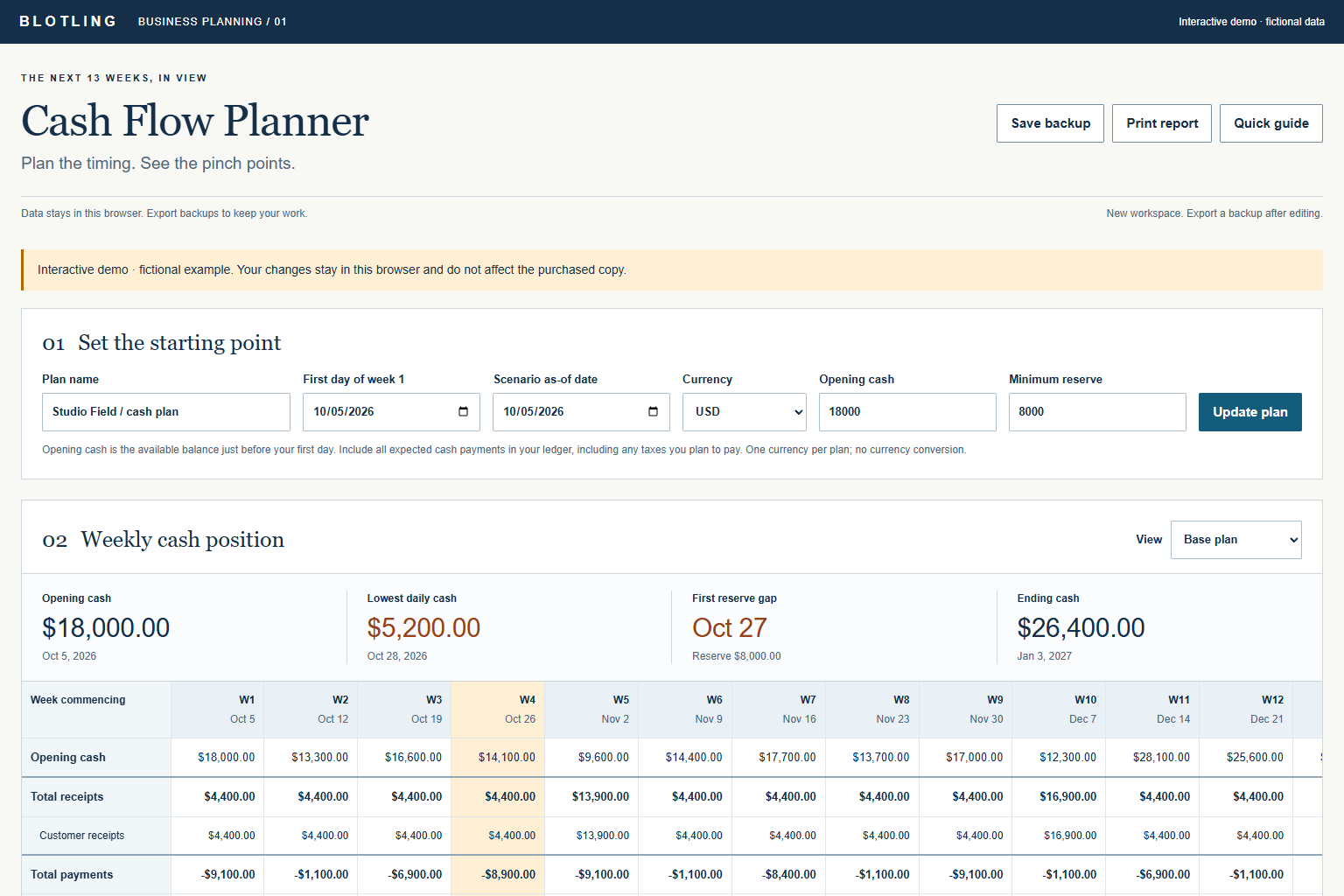
STEP 01
Choose the first day, opening cash and minimum reserve. Opening cash is the balance before that day.
STEP 02
Use dates and recurrence, then replace specific expected occurrences with actuals.
STEP 03
Inspect daily lows as well as weekly totals; name the scenario and export a backup before revising assumptions.
WORKED EXAMPLE
The fictional example begins with $18,000 and ends with $26,400, yet its lowest daily balance is $5,200 against an $8,000 reserve. The daily view reveals a shortfall that an ending-balance total would miss. The amounts are illustrative planning inputs, not a forecast for your business.
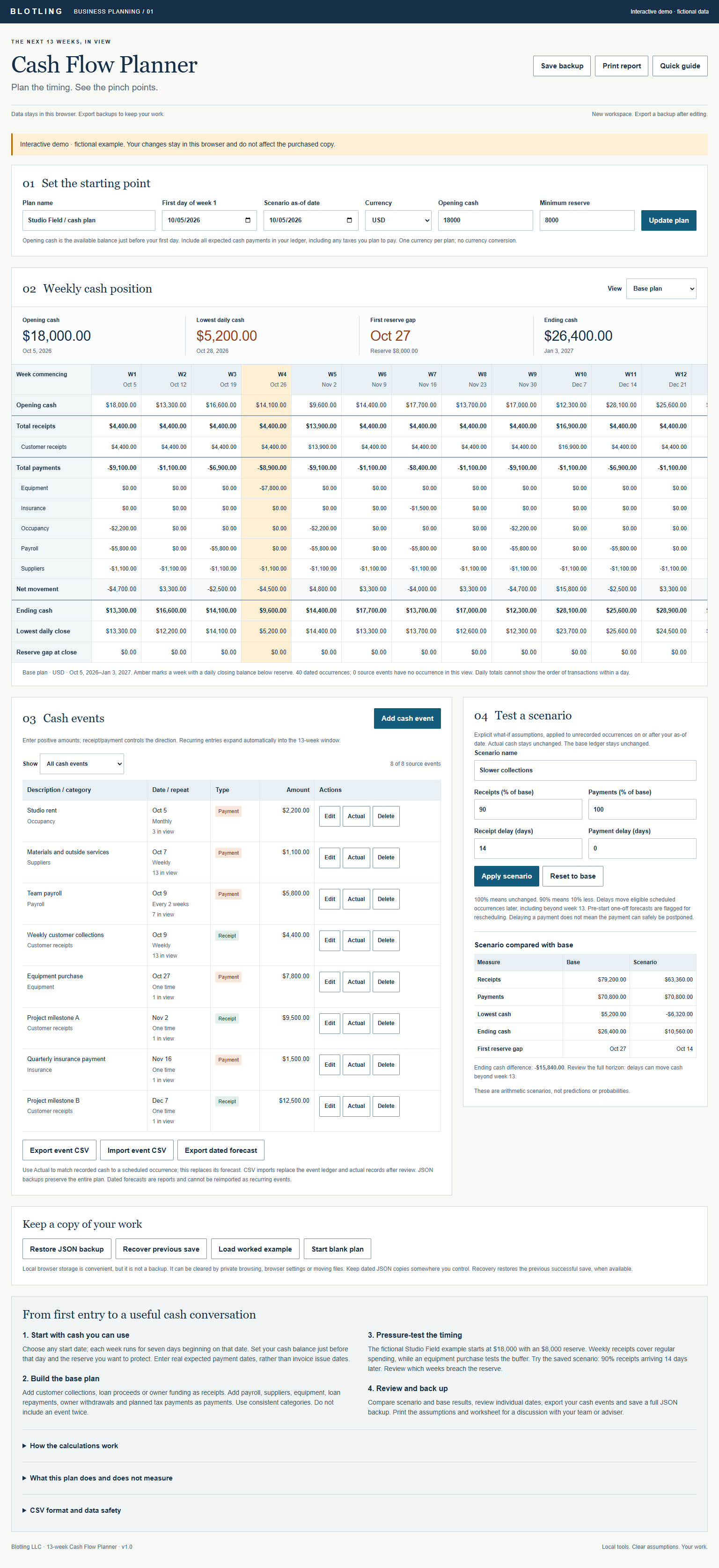

One active named scenario; preserve others with JSON backups. Partial actuals require splitting events. Daily closing balances do not model intraday payment order. No bank connection, accounting integration, tax calculation or currency conversion. Pre-start one-off forecasts are flagged rather than added to opening cash again.
In the full tool, browser saves stay on the device and are best-effort. Keep separate JSON backups; clearing browser data or moving the file can affect saved work.
Product details and planned price